
Information About Plugin User Roles
The DialBunny WordPress plugin, user roles are designed to ensure the right level of access for different users. Admins have full control and can access all admin pages. Meanwhile, users with the DialBunny User role have restricted access and can only view and interact with the DialBunny Call Center Dashboard.
Requirements
Before starting this setup guide ensure that you have the DialBunny plugin already installed on your WordPress site.
Plugin Already Installed: You will also need to have already installed and activated the DialBunny plugin onto your WordPress site.
User Roles
The plugin comes equipped with a user role called "DialBunny", this user role allows WordPress users access to the DialBunny dashboard but does not permit access to the admin pages.
Administrators:
DialBunny call center dashboard
Settings - Admin Page
Information - Admin Page
Active Numbers - Admin Page
Released Numbers - Admin Page
Add Number - Admin Page
Remove Number - Admin Page
License - Admin Page
DialBunny User Role:
Can only access the DialBunny call center dashboard page
Assigning User Roles
If you want to give a WordPress user the DialBunny role, simply head over to their WordPress account and change their role to DialBunny.
1. Head To The Users Tab From Your WordPress Admin Dashboard
Navigate to the account in which you want to assign a role to, and then scroll down until you find the user role field where you can select the "DialBunny" role.
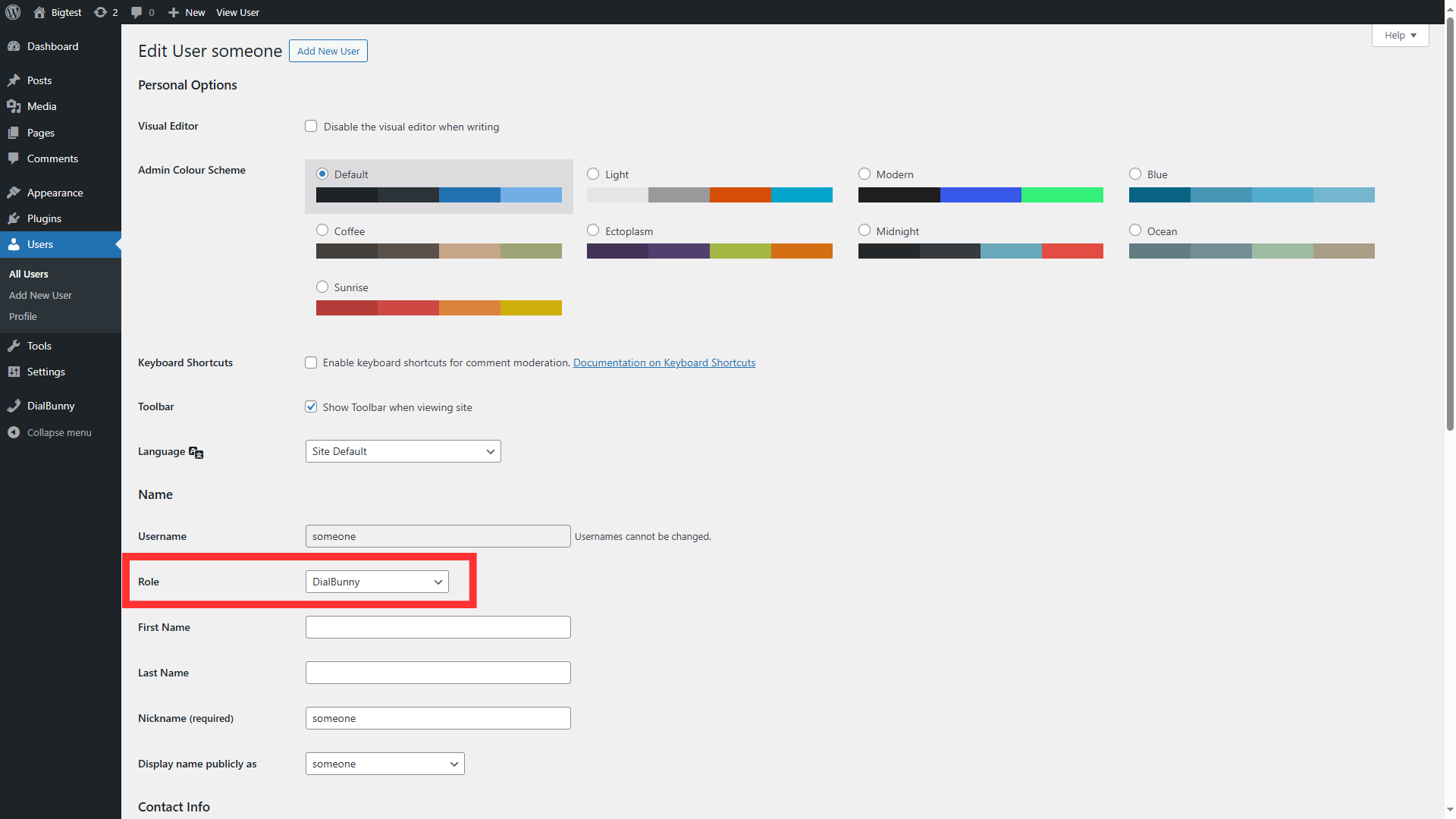
Navigate to the account in which you want to assign a role to, and then scroll down until you find the user role field where you can select the "DialBunny" role.