
Getting Started
Phone Numbers
Obtain A Number
Remove A Number
Pages
Dashboard Pages
Admin Pages
AI Assistant
Assistant Setup
More Information
Changelog
Remove A Phone Number Guide
This guide shows how to remove a phone number from both DialBunny and from Twilio. Unused phone numbers may still incur monthly costs so this guide will show you how to remove a phone number completely and stop receiving monthly costs associated to a specific number.
Requirements
Before starting this guide ensure that you have an active Twilio account and already have the DialBunny plugin installed on your WordPress site.
Plugin Already Installed: You will also need to have already installed and activated the DialBunny plugin onto your WordPress site. It is also recommended that your WordPress site has a proper domain and is secured with https.
Twilio Setup Complete: In order to follow this guide you will need to first complete the Twilio Setup to ensure all Twilio API keys are properly configured.
Remove A Phone Number (Admins Only)
Follow the steps below to remove a phone number from DialBunny and Twilio.
1. Remove Number From Twilio Account
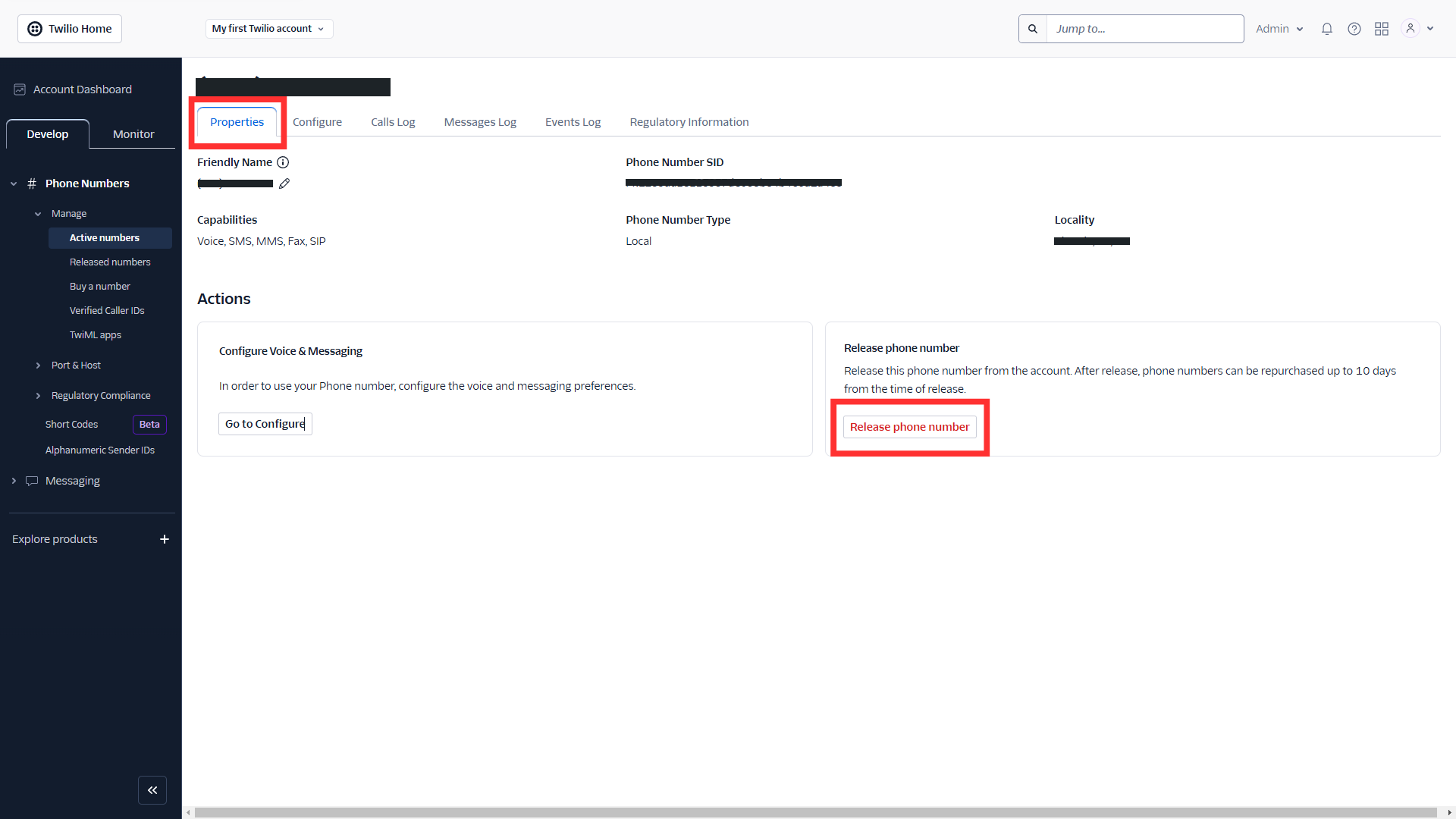
In the event that you want to remove a phone number from a WordPress users account, start by heading over to your Twilio account dashboard. Find the number you want to remove under "Active Numbers", go to the "Properties" tab and then click on "Release phone number". Doing this will ensure you don't accrue any costs after removing a number from the plugin page.
In the event that you want to remove a phone number from a WordPress users account, start by heading over to your Twilio account dashboard. Find the number you want to remove under "Active Numbers", go to the "Properties" tab and then click on "Release phone number". Doing this will ensure you don't accrue any costs after removing a number from the plugin page.
2. Remove Number From WordPress User's Account
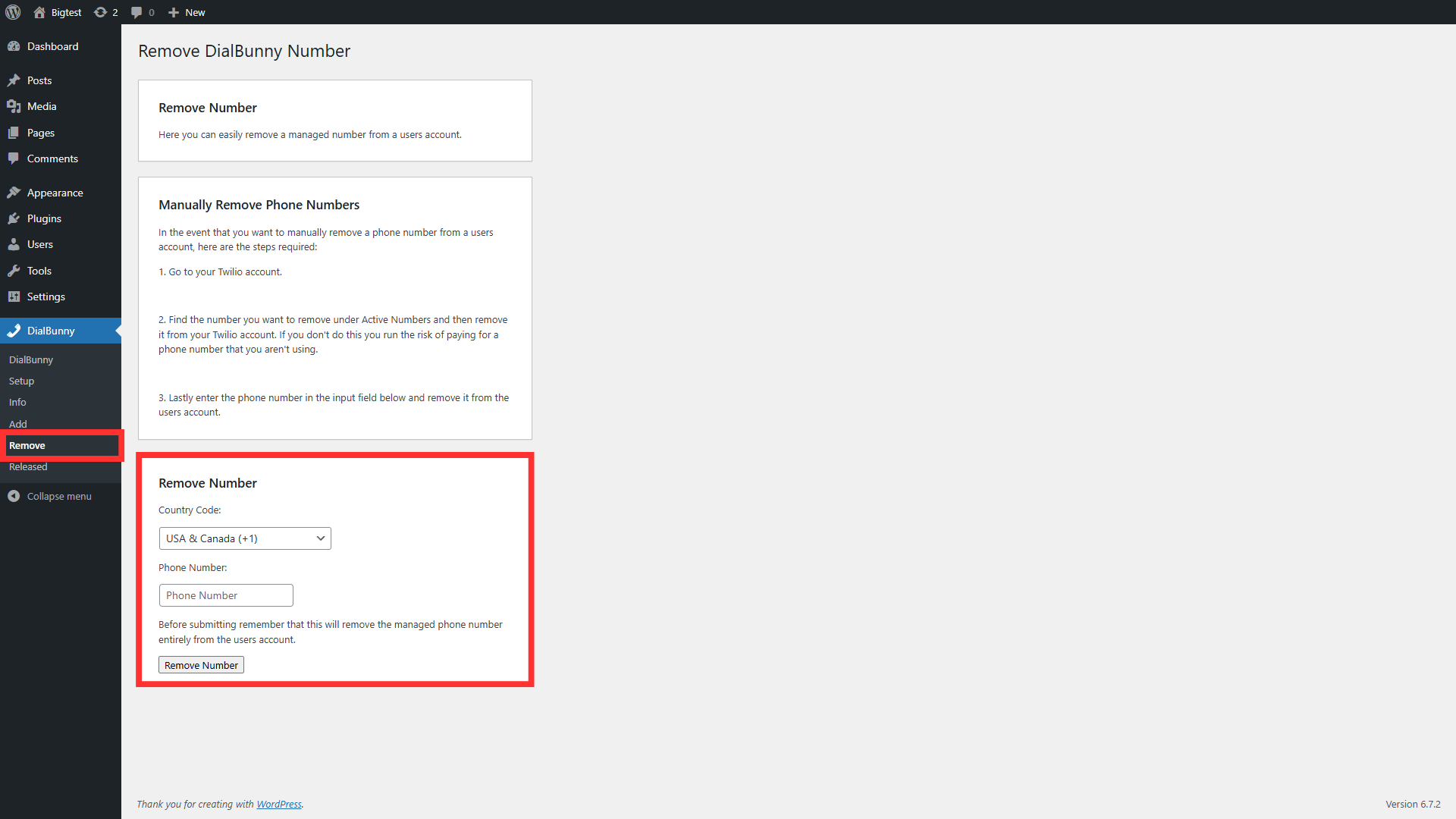
Next head over to your WordPress admin panel and navigate to the DialBunny "Remove Number" page. Make sure to separate the country code from the phone number and enter them into the corresponding input fields, then click on the "Remove Number" button. This will remove the specified phone number from any WordPress user that had that number.
Next head over to your WordPress admin panel and navigate to the DialBunny "Remove Number" page. Make sure to separate the country code from the phone number and enter them into the corresponding input fields, then click on the "Remove Number" button. This will remove the specified phone number from any WordPress user that had that number.
2025 ©
DialBunny.